

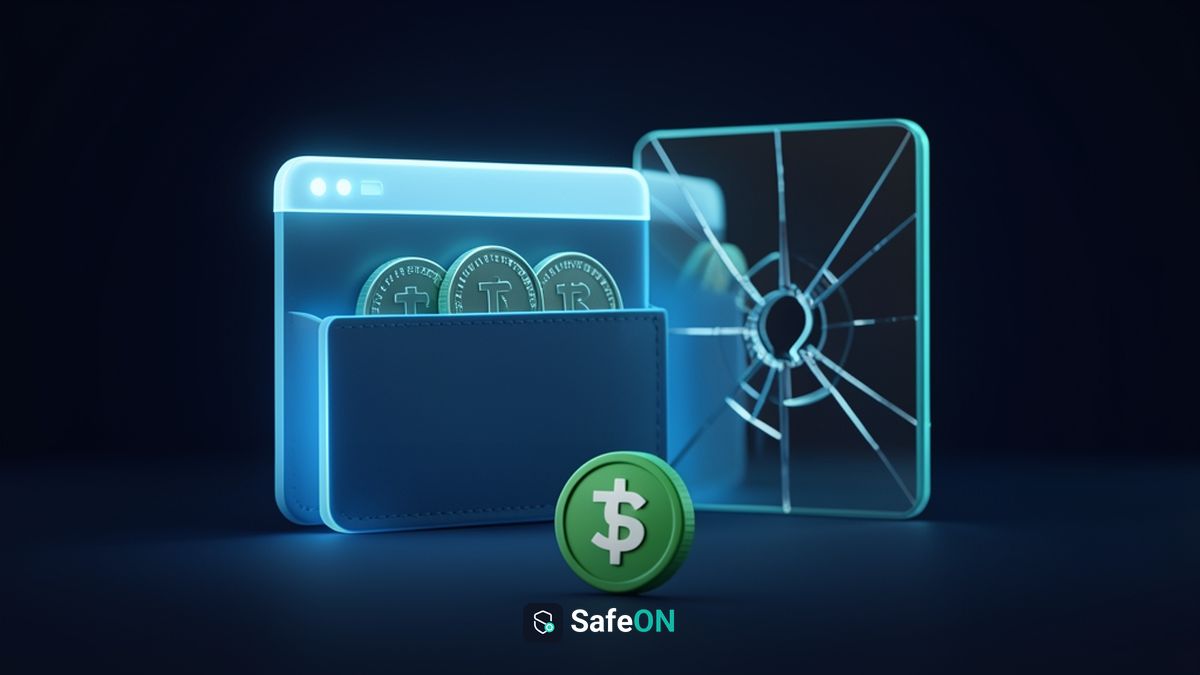
A TRC20 wallet online is any wallet you open in a browser or app to hold tokens on the TRON network, such as USDT. There are three common types: browser (web) wallets, mobile wallet apps and exchange accounts. They differ mainly in one thing: who holds the private keys. Before you pick one, learn how fake wallet sites work. And before you accept USDT from anyone, check where it came from.
If you are new to the basics, start with our guide on what a TRC20 wallet and address are. This article focuses on the “online” part and the risks that come with it.
Is there a real TRC20 wallet online? Web, app and exchange options
Yes. But “online” can mean different things. Here are the three types you will usually find.
- Browser wallets. These run as a browser extension or a web page. You create a wallet, get a seed phrase, and use it from your computer.
- Mobile wallet apps. You install an app on your phone. It creates a wallet and stores the keys on the device.
- Exchange accounts. You sign up on a crypto exchange and it gives you a TRC20 deposit address. You never see a seed phrase.
All three can receive USDT on TRON. All three are “online” in the sense that they connect to the internet. The real difference is control.
Who controls the keys in each option?
Think of a private key like the only key to a safe. Whoever holds it can open the safe. A seed phrase is the master copy of that key.
| Option | Who holds the keys | What it means for you |
|---|---|---|
| Browser wallet | You (non-custodial) | Full control. If you lose the seed phrase, nobody can restore it. |
| Mobile app wallet | You (non-custodial) | Same as above. Your phone’s security matters a lot. |
| Exchange account | The exchange (custodial) | Easy to use. The exchange can limit withdrawals or hold funds under its own rules. |
Neither choice is “safe” by default. Non-custodial wallets put all the responsibility on you. Custodial accounts put trust in a company. Choose based on how much you hold and how comfortable you are managing keys yourself.
One point applies to every option: USDT freezes do not depend on who holds the keys. More on that below.
Fake TRC20 wallet sites and apps: how they steal seed phrases
Many people search “trc20 wallet online” and click the first result. That is exactly where scammers wait. Fake wallet apps have appeared in app stores, and fake wallet sites have been promoted through search ads.
The common tricks are simple:
- Cloned websites. A page looks exactly like a real wallet. The address is slightly different, like an extra letter or a different ending.
- “Import your wallet” traps. The site asks you to type your seed phrase to “connect”, “verify” or “sync”. The moment you do, the scammer can take everything.
- Fake apps. An app copies a real wallet’s name and icon. It may work normally at first, then send your seed phrase to the attacker.
- Pre-made wallets. The site gives you a seed phrase it generated. The scammer keeps a copy and waits for you to deposit.
A few habits protect you:
- Type the wallet’s official address yourself or use a bookmark. Do not trust ads.
- Download apps only from the official link on the wallet’s own website.
- Never type your seed phrase into a website, chat or form. A real wallet only needs it when you restore it inside the wallet itself.
- Always create a new seed phrase yourself. Never accept one someone gives you.
For more on this, read how to keep your seed phrase safe.
Receiving USDT safely: network, address format and energy
Receiving USDT sounds easy. Still, small mistakes can cost money.
Pick the right network. USDT exists on several blockchains. If someone sends USDT on another network to your TRON address, the funds may not arrive where you expect. Always confirm “TRC20” or “TRON” with the sender.
Check the address. TRON addresses start with the letter T. Copy and paste instead of typing, then compare the first and last few characters. Some malware swaps addresses on your clipboard.
Understand fees. On TRON, every transaction uses Bandwidth, and smart contract calls use Energy. A USDT transfer is a contract call. According to the TRON developer documentation, if an account lacks enough of these resources, TRX is burned to cover the rest.
The sender pays these costs, so receiving USDT costs you nothing. You will need some TRX or Energy later to send it out.
Can USDT in any TRC20 wallet be frozen?
Yes. This surprises many beginners. USDT is issued by Tether, and Tether can block addresses. Its terms of service allow it to freeze Tether tokens and blacklist addresses, for example when required by law or in cases of prohibited use.
This applies to any address. It does not matter if you use a browser wallet, an app or an exchange. If your address receives USDT linked to a hack, scam or sanctioned party, your address can become a target too.
Freezes are not rare. SafeON’s freeze radar recorded 513 addresses frozen in the last 30 days. This is a count of addresses seen by the radar, not a statement about any specific person. If you want to know what a freeze looks like in practice, see what to know when USDT is frozen.
Checking the sender’s address before you accept USDT
Here is an everyday analogy. Before you accept a large cash payment from a stranger, you might check the notes. With USDT, you check the sender’s address.
A quick check can tell you if the address:
- has links to OFAC-sanctioned addresses;
- is already frozen or blacklisted for USDT;
- received funds from mixers, darknet markets, scams or stolen funds, even a few hops back;
- shows risky behaviour patterns.
SafeON’s TRON AML check does this and returns a risk score from 0 to 100 with the reasons. You can also download a PDF report. If you get USDT from the same people often, you can add their address or your own wallet to a SafeON watchlist and get alerts, including on Telegram.
A check does not undo anything that already happened. SafeON does not unfreeze or recover funds. Its job is to help you decide before you accept.
Check a wallet’s risk on SafeON
FAQ
Can I create a TRC20 wallet online without an app?
Yes. A browser wallet lets you create a TRC20 wallet from your computer without a phone app. Make sure you are on the official site, and write down your seed phrase offline.
Is an online TRC20 wallet safe for storing USDT?
It depends on how you use it. Any wallet connected to the internet carries some risk. Protect your seed phrase, avoid fake sites, and keep only what you need in wallets you use daily.
Can USDT in an online wallet be frozen?
Yes. Tether can freeze USDT on any address, whatever type of wallet holds it. Checking who sends you USDT lowers the chance of receiving funds tied to risky activity.
How do I know a TRC20 wallet website is not fake?
Check the exact web address, avoid search ads, and use links from the wallet’s official channels. If a site asks for your seed phrase to “connect” or “verify”, leave right away.